Working in Gloversville, New York, where historic industries meet modern remote jobs and office spaces, more people than ever are spending hours at a desk. Whether you’re logging in from a home office on Main Street or a local business near the Mohawk River, keeping your spine healthy is essential for long-term well-being. This guide outlines practical tips to create a spine-friendly workspace, improving posture and comfort—no matter your profession.
Why You Should Care About a Spine-Friendly Workspace
Back pain and posture issues are a leading cause of discomfort for office workers in Gloversville and beyond. An improperly set-up desk or workstation can lead to:
- Chronic back, neck, and shoulder pain
- Tension headaches
- Reduced productivity
- Long-term spinal issues
With the four distinct seasons—icy winters to humid summers—Gloversville residents may be less likely to get outside or move frequently during work, making workplace ergonomics even more important.
Set Up Your Desk for Spinal Health
Setting up a spine-friendly workspace starts with your desk position and equipment. Here’s what you should keep in mind:
- Desk Height: Your desk should allow your elbows to rest at a 90-degree angle. If you’re using a laptop on a kitchen table (common for Gloversville’s remote workers), consider a height-adjustable stand.
- Monitor Placement: The top of your computer monitor should be at or slightly below eye level. Use books or a monitor riser to adjust the height if needed.
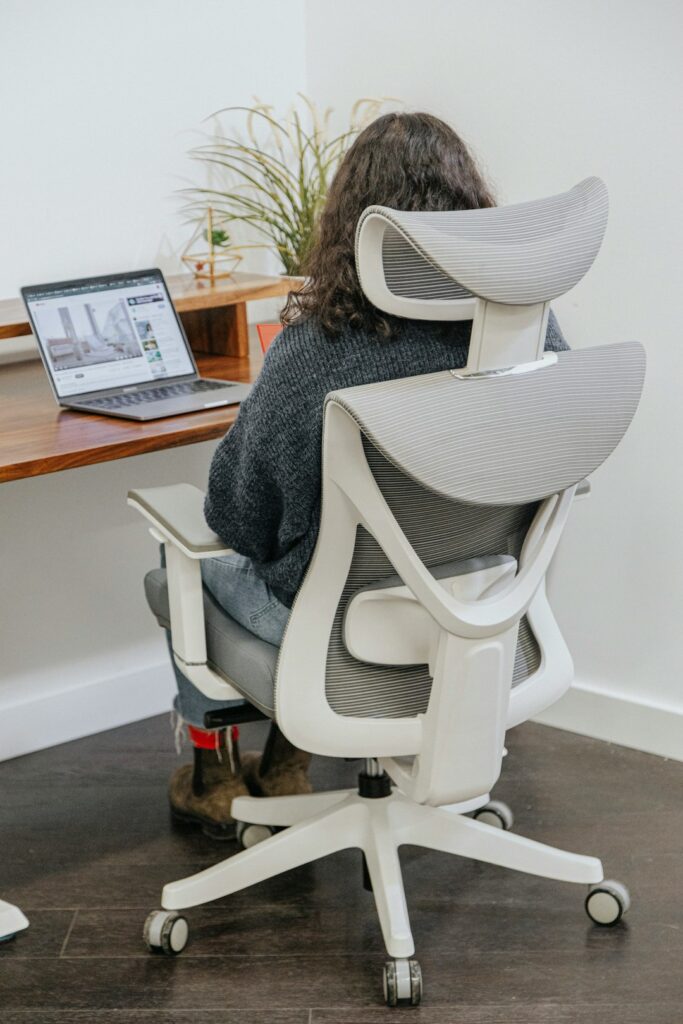
- Chair Matters: Invest in an adjustable chair with lumbar support. Your feet should rest flat on the floor, with knees at a 90-degree angle. Small local shops in Gloversville may carry affordable ergonomic chairs, or try a simple, supportive cushion.
Optimize Device Use
Many people in Fulton County now use multiple devices for work and personal communication.
- Keyboard & Mouse: Place these close enough to avoid reaching. Wrists should remain straight, and arms relaxed.
- Phone: Use speaker mode or a headset to avoid cradling the phone between your ear and shoulder.
Gloversville Lifestyle Tips: Move Like a Local
Living in a community surrounded by parks and lakes, Gloversville residents have access to plenty of outdoor activities. However, staying active during the workday is just as important:
- Stand Up & Stretch Hourly: Set an alarm to remind you to stand, stretch, or take a brief walk. Even a short stroll around your living room or office can reduce stiffness.
- Try Desk Yoga: Simple neck rolls, shoulder shrugs, and seated twists can be done in any workspace—perfect for those winter days when you can’t get out to Trail Station Park.
Address Common Workspace Challenges
You may encounter specific obstacles at home or in a traditional office:
Limited Space
Many Gloversville homes, especially charming Victorians, may offer cozy but small rooms. Maximize your workspace with these ideas:
- Use compact ergonomic accessories, like small-footprint keyboards.
- Keep clutter away from your immediate work area to allow movement.
Fixed Office Equipment

If work provides non-adjustable desks or chairs, adjust what you can:
- Add a footrest (even a sturdy box works).
- Use a rolled towel or small pillow for extra lumbar support.
Indoor Air Quality
Comfort isn’t just about posture; breathing fresh air can fight fatigue and stiffness. Consider:
- Opening windows when weather permits
- Adding a houseplant to help filter indoor air
Ergonomic Tips for Remote Workers in Gloversville
With more residents working remotely after recent changes in the workplace, here are spine-saving strategies specific to home offices:
- Avoid Couch Computing: Sitting on a soft couch may seem comfortable, but it often rounds the back and strains the spine—try to set up at a table or desk instead.
- Break Up the Day: Use breaks to check out the view from your window or walk your dog along the Erie Canalway Trail.
- Invest in Ergonomics: Local retailers or online shops can deliver standing desks, monitor risers, and chair cushions right to your door in Gloversville.
When to Seek Help
Persistent pain is a sign to seek professional advice. Local chiropractors can provide personalized assessments and offer tips tailored to your unique spinal needs.
Summing Up: Small Changes, Big Impact
Making your workspace spine-friendly doesn’t require a huge investment—many fixes use what you already have at home. By following these practical steps, Gloversville residents can reduce discomfort and boost productivity, all while enjoying the unique lifestyle that our region offers.
Remember, the spine is the backbone of your health—literally! Pay attention to posture, take regular breaks, and adjust your workspace to keep yourself pain-free and active, whether you’re working through a snowy January or a bustling summer day in Gloversville.